
How CleverOwl Works
Transform your study materials into personalized learning guides in just three simple steps
Upload Your Class Notes
Drag and drop PDFs, Google Docs, slides, or handwritten homework. CleverOwl supports every format students actually use.
CleverOwl Finds Key Concepts
Our study planner scans your files, extracts topics, and maps learning objectives to match your curriculum.
Get a Personalized Study Guide
Receive summaries, adaptive quizzes, flashcards, and next-step recommendations tailored to your progress.
Why Students Love CleverOwl Study Guides
Discover how CleverOwl saves time, boosts test scores, and keeps every class organized.
Save Study Time
Cut your study time in half with CleverOwl-curated outlines that focus on the concepts teachers test.
Understand More
Break down complex topics into bite-sized explainers, vocabulary, and examples you can review quickly.
Boost Grades
Students report an average 15% grade lift within the first month by targeting the gaps CleverOwl surfaces.
Fun & Easy to Use
Gamified streaks, badges, and flashcards make it enjoyable to review daily goals and assignments.

Track Your Progress
Watch your knowledge grow with detailed analytics, smart recommendations, and learning streaks that keep you motivated.
Powerful Study Features for Better Learning
Everything you need to turn class materials into personalized study guides, flashcards, and quizzes.
Smart Content Analysis
Automatic Topic Extraction
CleverOwl identifies key concepts, vocabulary, and timelines from your materials.
Difficulty Assessment
Automatically adjusts explanations and questions to your level.
Multi-Format Support
Works with PDFs, images, handwritten notes, Google Docs, slides, and more.

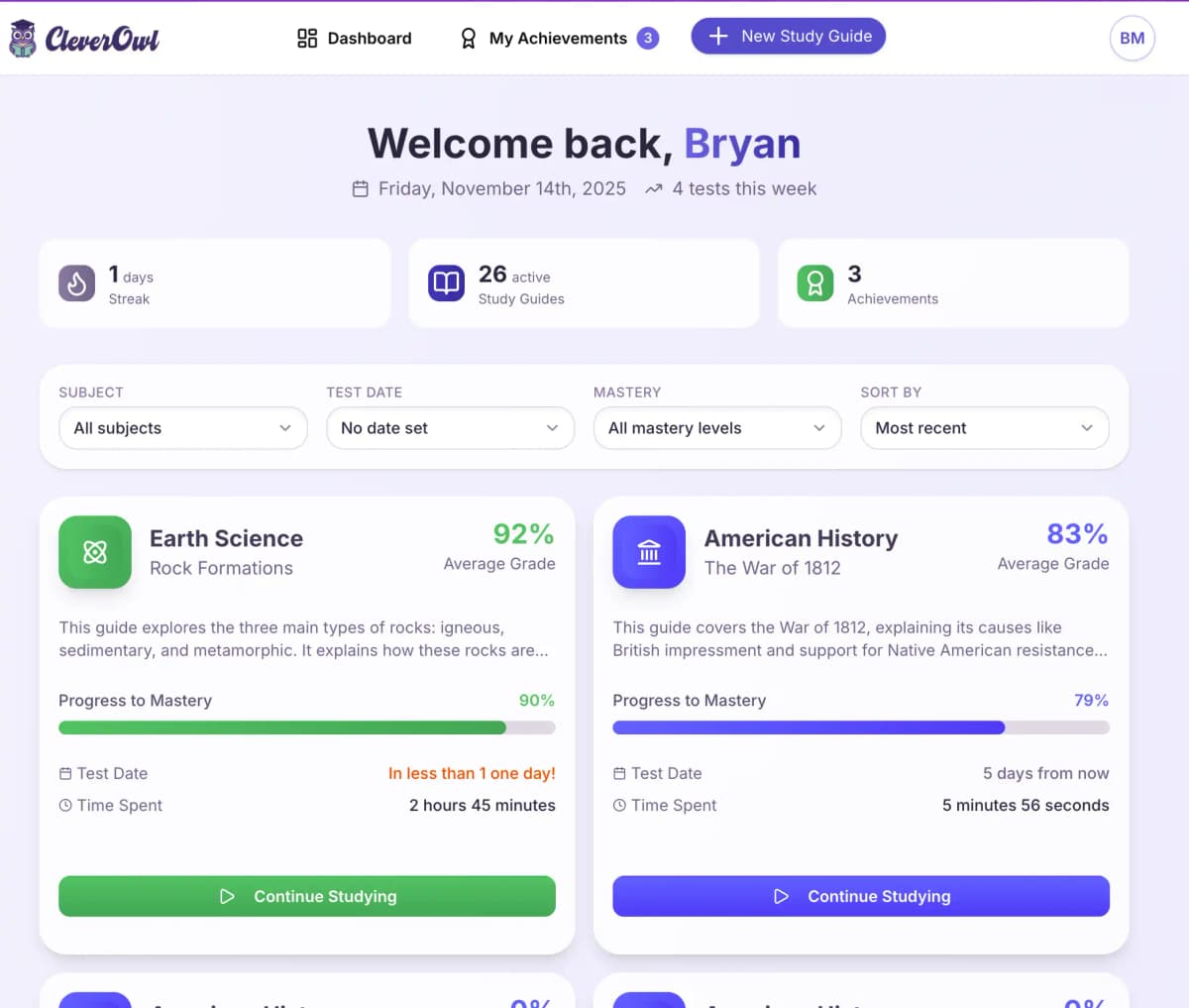
Interactive Study Tools
Custom Flashcards
Auto-generated flashcards based on your study materials
Practice Quizzes
Test your knowledge with adaptive practice questions
Study Reminders
Smart notifications to keep you on track
Frequently Asked Questions
Everything you need to know about CleverOwl
How does CleverOwl work?
Upload your class notes, homework, or textbook pages. CleverOwl analyzes the content, identifies key concepts, and creates a personalized study guide with summaries, vocab, practice questions, and learning tips.
What file types can I upload?
CleverOwl supports PDFs, images (JPG, PNG), Google Docs, Word documents, PowerPoint presentations, and even photos of handwritten notes thanks to built-in OCR.
What subjects does CleverOwl support?
Any subject that relies on text or lecture notes works great—science, math, history, civics, ELA, world languages, and more. CleverOwl customizes study material to the topics in your files.
Can I try CleverOwl for free?
Yes! CleverOwl offers a free plan to get started—no credit card required. You can upload your notes and create study guides right away. For unlimited access to all features, upgrade to a paid plan anytime.